

ZenCleaner
A calm, careful Mac cleaner.
For Mac with Apple silicon, macOS 26 or later. 14-day free trial.
By buying you accept the terms of sale.
Question before you buy? Ask here. Already using ZenCleaner? Get support.
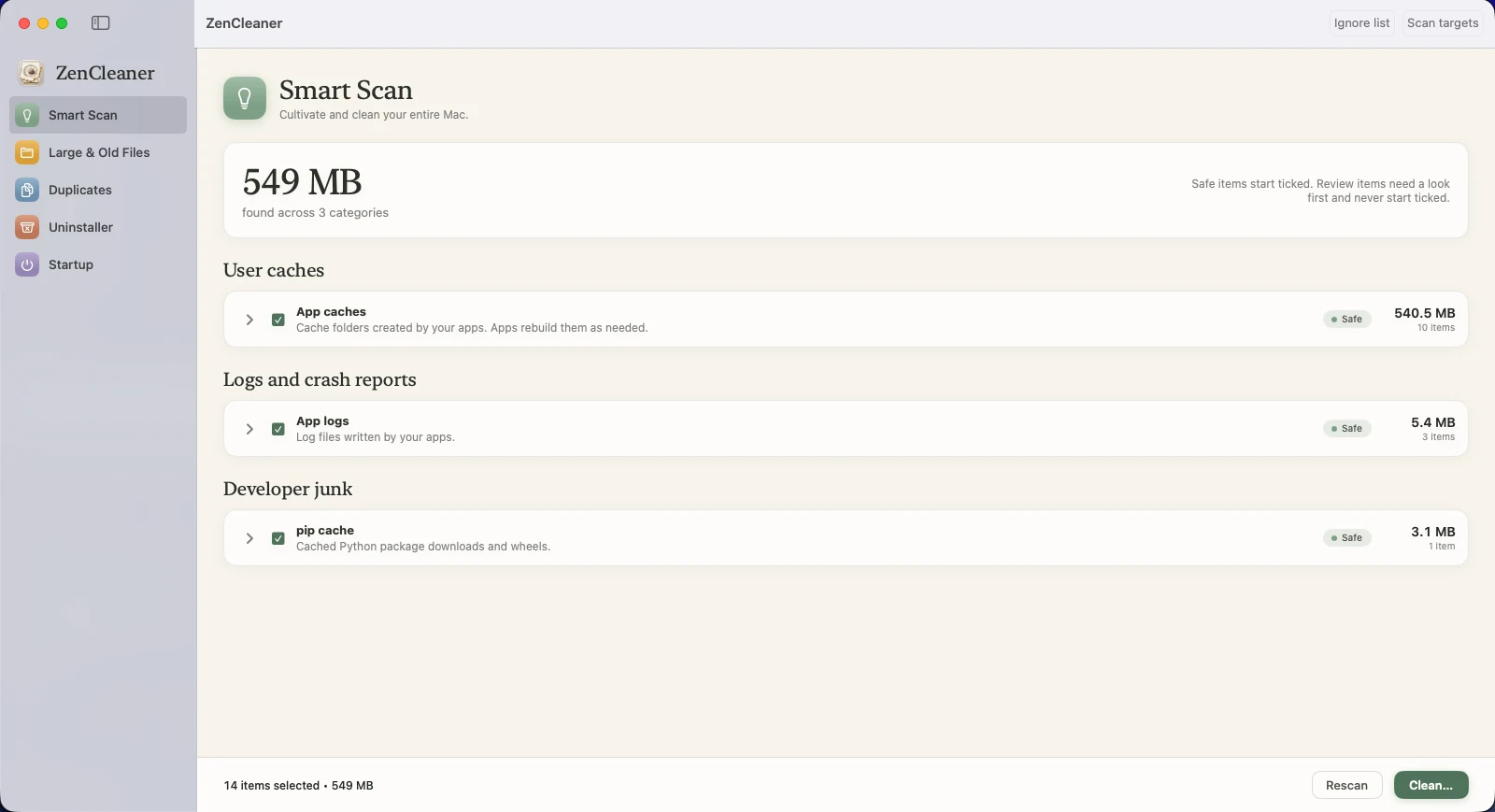
Smart Scan: everything it found, grouped and labelled before anything is removed.
Clear your Mac. Keep your calm.
ZenCleaner is a native Mac cleaner that finds what you no longer need, shows you exactly what it found, and removes only what you approve. Almost everything goes to the Trash first, so you can always change your mind.
You stay in control
Every tool shows what it found before it removes anything. There is a dry run on every confirmation, and nothing happens without your approval.
Built to be safe
Removals go to the Trash by default, with undo. Your Documents, Desktop, Downloads, Photos library, iCloud Drive, Keychains, Mail and Messages databases, Safari data and SSH keys are protected and cannot be cleaned, whatever a scan finds. You can add anything else to a never-clean list.
Private by design
No account, no tracking, no uploads. The only thing it fetches is a small public list of withdrawn licences, about once a week.
What it looks like.
Every tool shows you what it found before it removes anything.
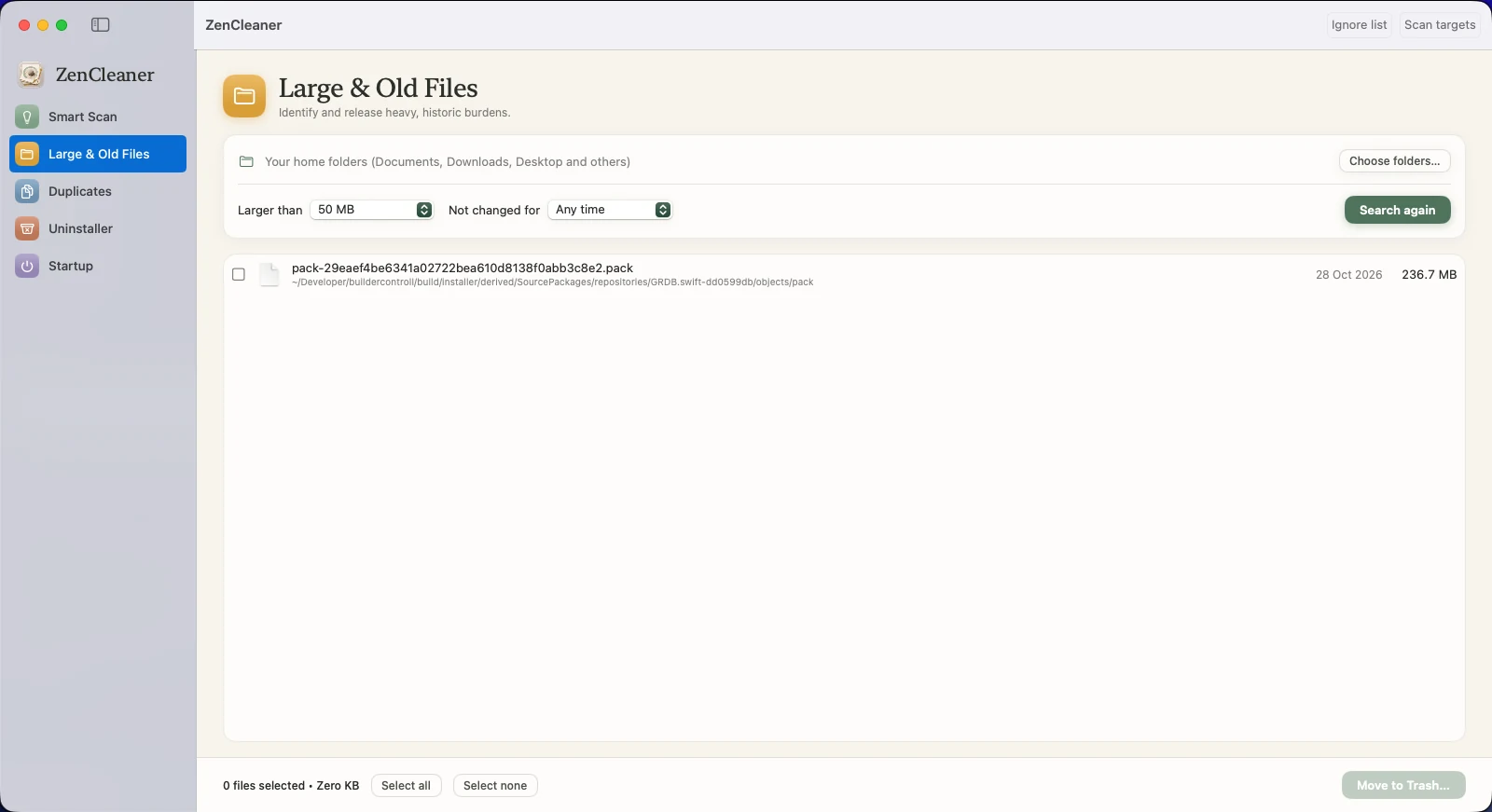
Large & Old Files
Identify and release heavy, historic burdens. Filter by size and by how long a file has been untouched.
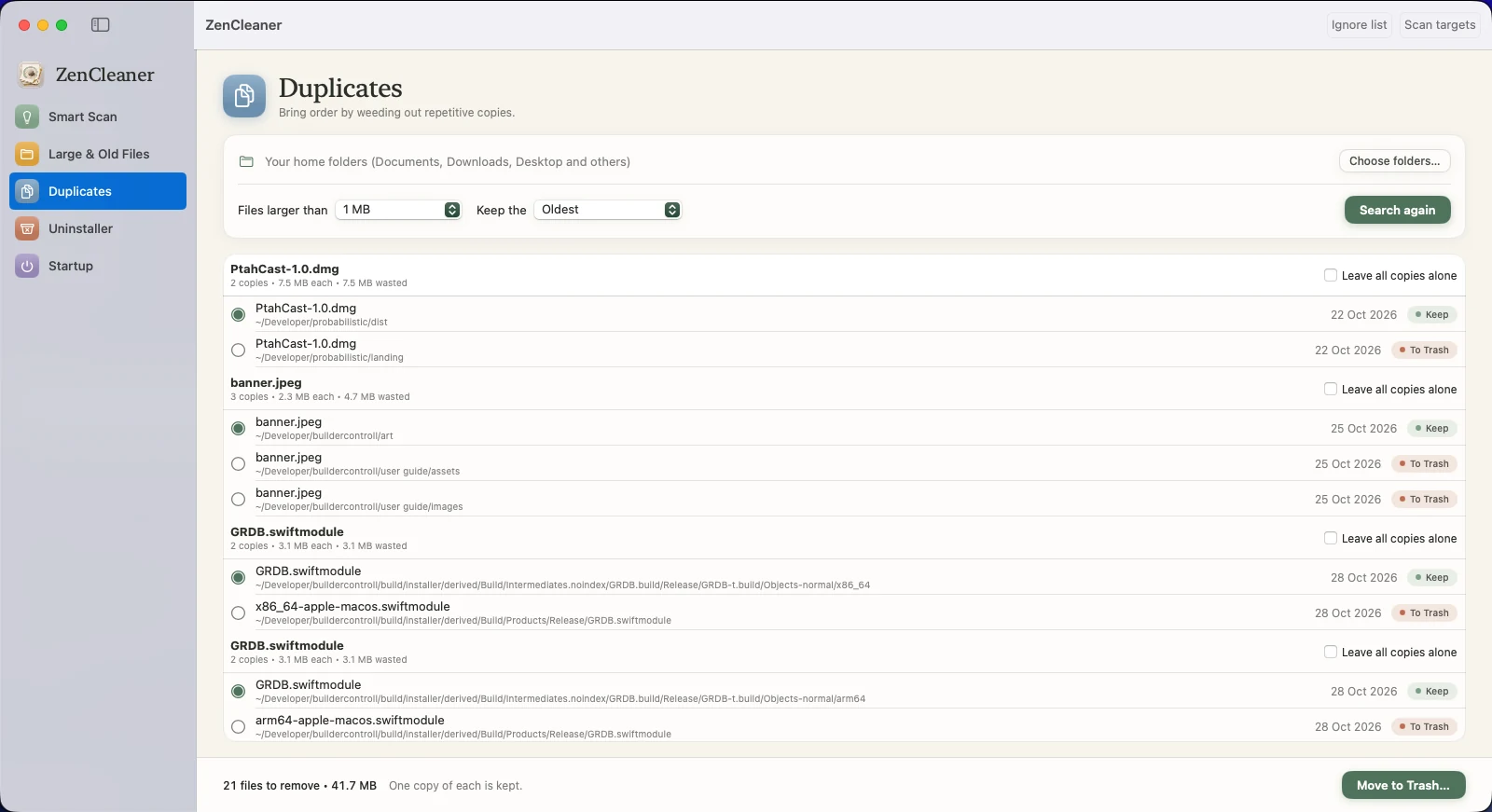
Duplicates
Bring order by weeding out repetitive copies. One copy is always kept, and you choose which.
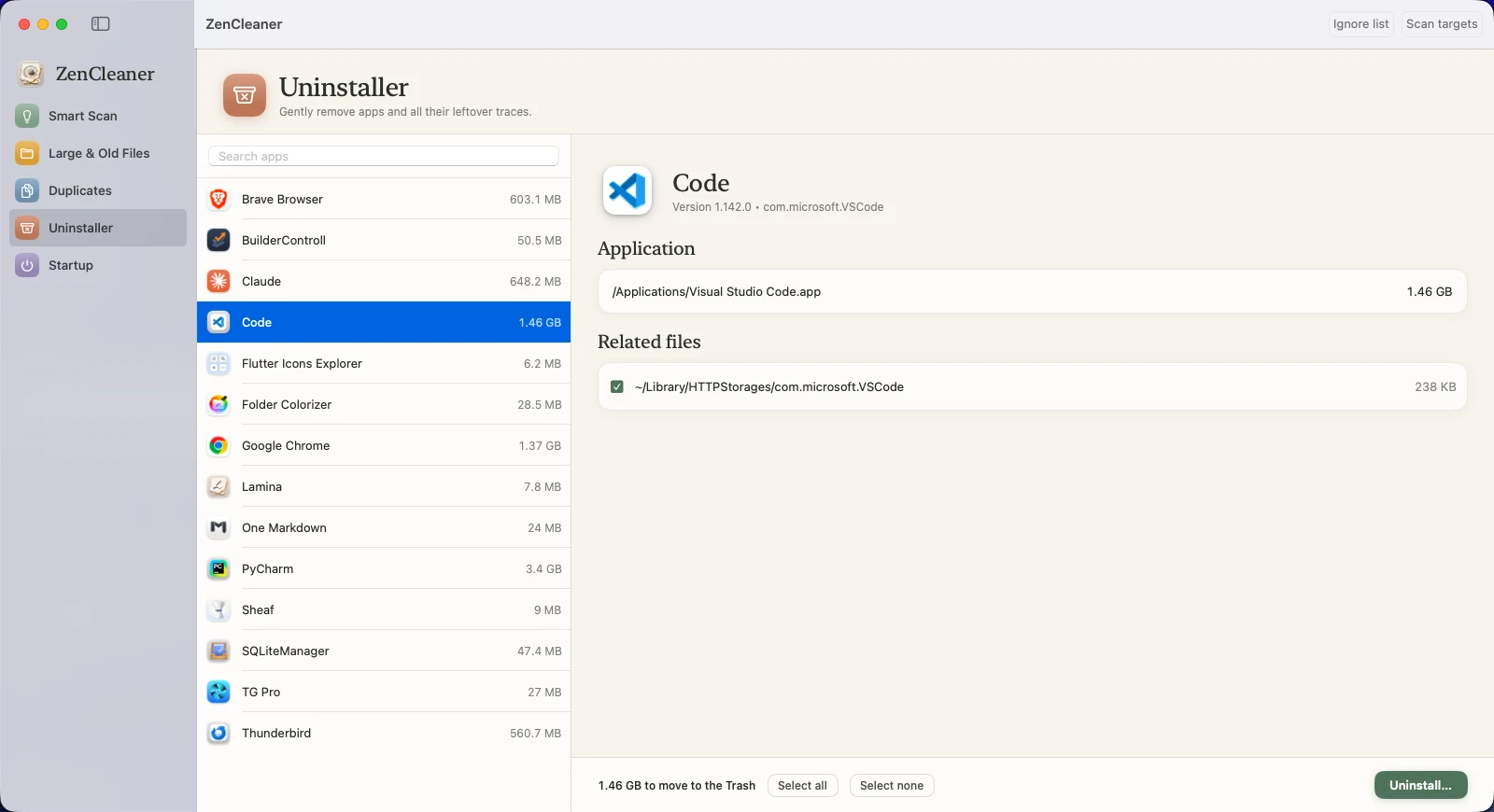
Uninstaller
Gently remove apps and all their leftover traces.
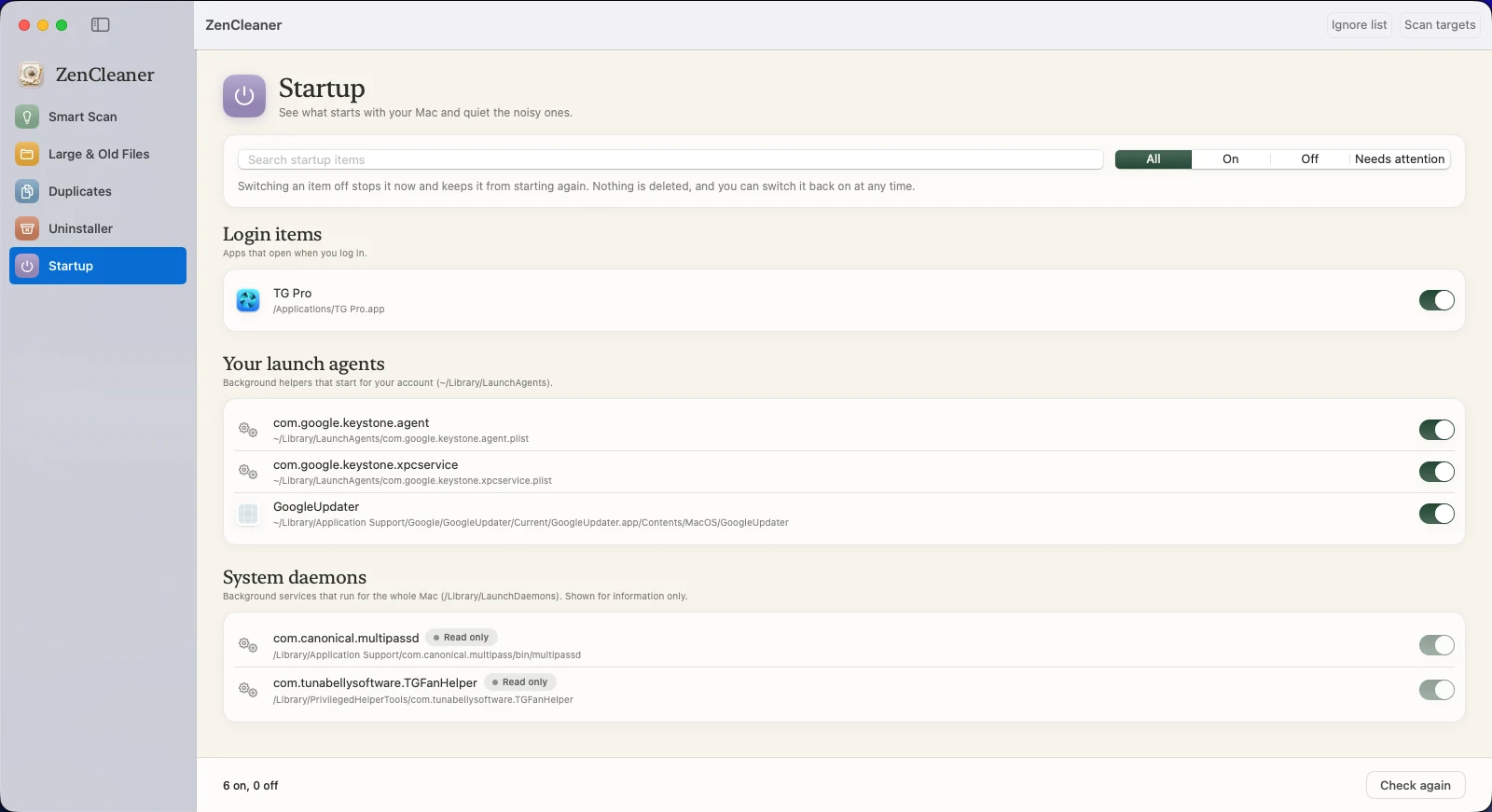
Startup
See what starts with your Mac and quiet the noisy ones. Nothing is deleted.
Five tools, one calm app.
ZenCleaner looks through the places clutter really builds up, then stops and shows you everything, largest first. Safe items, the kind an app rebuilds by itself, start ticked. Anything that might matter to you never does.
What each tool does
Each one previews before it acts.
Smart Scan: cultivate and clean your entire Mac
One scan across 19 known places: app caches, logs, crash reports, the Trash, Xcode build files, Homebrew, npm, pip, Yarn, CocoaPods, Swift Package Manager and Gradle caches, Mail and Messages attachments, and old iPhone and iPad backups and update files. Results are grouped by category and labelled Safe or Review.
Large & Old Files: release heavy, historic burdens
Find the biggest files in your own folders, optionally limited to those you have not touched for six months, a year or two years. Tick what you want gone and send it to the Trash.
Duplicates: weed out repetitive copies
Finds files with exactly the same contents, whatever they are called. ZenCleaner compares size, then the start and end of each file, then a full SHA-256 check, so a match really is identical. One copy of every file is always kept, and you choose which.
Uninstaller: remove apps and their leftovers
Pick an app and see the files it left in your Library. Related files are matched on the app's exact identifier, never a similar name, so files belonging to other apps are not caught by accident. The app and the files you tick go to the Trash.
Startup: see what starts with your Mac
Lists your login items and the background helpers that start with your Mac, and flags any that point to a program that no longer exists. Switch an item off with one click and back on whenever you like. Nothing is deleted.
Scan, review, clean.
Three steps, and you decide each one.
- 1. ScanZenCleaner looks. It only reads; nothing changes.
- 2. ReviewSee everything, largest first. Tick what you want gone. Try a dry run if you are unsure.
- 3. CleanConfirm, and it is done. Changed your mind? Undo puts back everything that went to the Trash.
Safe items start ticked. Review items never do.
Safe items are things an app rebuilds by itself. Review items might matter to you, so they never start ticked.
Where it looks
Each category is labelled Safe or Review.
App caches and logs (Safe)
App caches, logs and crash reports.
Trash (Safe)
Your Trash, and the Trash on external drives.
Developer files (Safe)
Xcode DerivedData, simulator caches, Homebrew, pip, CocoaPods, Swift Package Manager, Yarn and npm.
Developer files, check first (Review)
Xcode Archives and device support, and Gradle caches.
Mail and Messages (Review)
Mail attachment downloads and Messages attachments.
iPhone and iPad (Review)
Local device backups and downloaded iOS update files.
Large and old files (Review)
Your own folders, by size and age.
Duplicates (Review)
Identical files, with one copy always kept.
Apps (Review)
Apps and the files they left behind.
Careful by design.
How it protects you
Cautious on purpose.
Preview before everything
Every removal passes through a confirmation sheet that says exactly how many items will be deleted permanently and how many go to the Trash. A dry run shows what would happen and changes nothing.
The Trash first
Large files, duplicates and apps always go to the Trash. Smart Scan can too. Only safe, rebuildable items are ever deleted permanently, and only if you allow it.
One copy is always kept
In a set of duplicates it is impossible to remove every copy.
Protected places
ZenCleaner will never touch your Keychains, Mail and Messages databases, Safari data, iCloud Drive and other cloud folders, Photos, Music and similar libraries, SSH and other credential folders, the Documents, Desktop and Downloads folders themselves, Apple's own apps, or anything outside your home folder and external drives.
Your own never-clean list
Right-click any item and choose "Never clean this item".
A record on your Mac
What was moved is kept in a journal on your own machine, which is how undo works. It never leaves your Mac.
Private
No account, no analytics, no uploads. The only thing it fetches is a small public list of withdrawn licences, about once a week.
What people say.
“It did wonders for my Macbook, it helped clear 32 GB of files that were just bloating my storage using the smart scan feature. I also like how it marks certain files as safe to delete and others that need to be reviewed manually before being deleted. 👌”
Ni Ib, customer
$14.99. Pay once. Yours to keep.
Try ZenCleaner free for 14 days with every feature on. If it earns a place in your week, one payment unlocks it for good.
- 1. TryDownload ZenCleaner and use it for 14 days. No card, no account.
- 2. UnlockPay once and open the licence file we email you.
- 3. KeepNo renewals. After the trial you can still scan and review everything.
The price is shown at checkout.
Good to know.
Will it delete my photos or documents?
No. Your Photos library, Documents, Desktop and Downloads folders are protected. In Large & Old Files and Duplicates you pick individual files yourself, and they go to the Trash.
Can I undo a clean?
Yes, for everything that went to the Trash. After a clean, the report offers Undo Trash moves, and Finder's Put Back works too. Items deleted permanently cannot be restored, which is why only safe, rebuildable items are ever deleted permanently.
Does it need Full Disk Access?
Only for the places macOS keeps behind a privacy lock: Mail, Messages, the Trash and iPhone backups. Without it, everything else still works and ZenCleaner tells you which categories it skipped. A guided first-run screen walks you through switching it on.
Does it send anything to the internet?
No files, no names, no usage data. About once a week ZenCleaner downloads a small public list of withdrawn licences, so a refunded licence can stop working. Nothing about you or your Mac is sent with that request.
Does it run in the background or slow my Mac down?
No. It runs when you open it and does nothing otherwise.
Does it work on Apple Silicon and Intel Macs?
It needs a Mac with Apple silicon (M1 or later). There is no Intel version.
Which versions of macOS?
macOS 26 Tahoe and later.
Can I try it first?
Yes. The version from this website has a 14-day free trial with every feature. When it ends you can still scan and review everything ZenCleaner finds, but cleaning needs a licence.
How is it different from other cleaners?
It is deliberately cautious. It shows everything before it acts, protects the places that matter, keeps one copy of every duplicate, uses the Trash by default, and sends nothing about you or your files.
Can I get rid of ZenCleaner itself?
Drag it to the Trash. If you also want its journal and never-clean list gone, delete ~/Library/Application Support/ZenCleaner.