

Lamina Notes
Notes and PDFs on your Mac, pay once.
For Mac with Apple silicon, macOS 26 or later. No account. Your notebooks never leave your Mac.
By buying you accept the terms of sale.
Question before you buy? Ask here. Already using Lamina Notes? Get support.
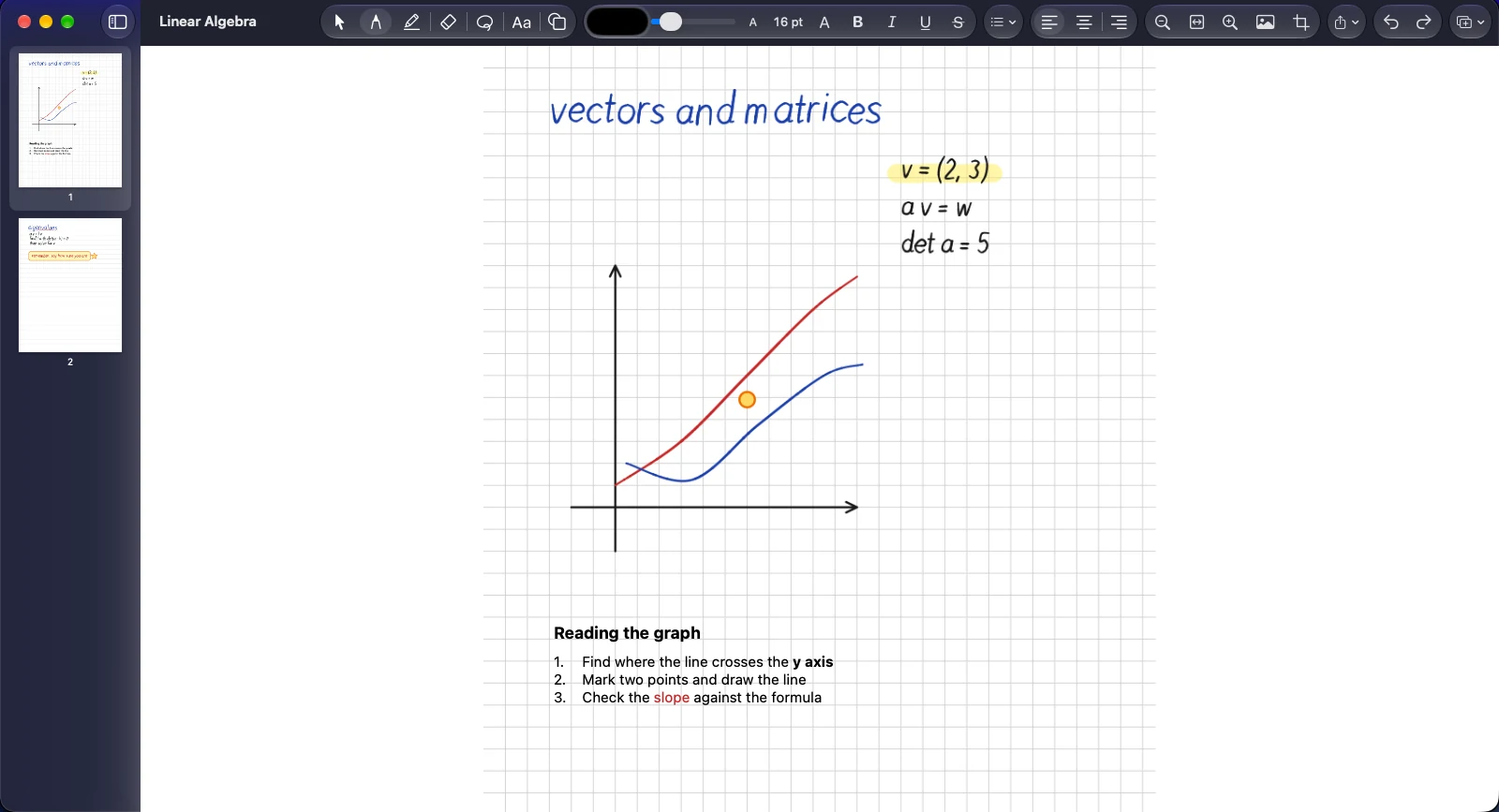
Handwriting, a highlighter, drawing and typed text on one page.
A notebook that stays out of your way.
Lamina is a native Mac app for handwritten notes, typed text and PDF markup. It is fast, quiet and finished, and it does not ask for a subscription or a sign-in.
Pay once
One payment unlocks the app. No monthly fee, no per-device charge, no feature held back behind a plan.
Local first
Everything lives in a folder on your Mac. It works offline, with no account, and nothing is uploaded.
Built for handwriting
Pen, highlighter and eraser that feel immediate, with smooth curves and pressure from a tablet or stylus.
What it looks like.
Real screens from the app, shown with sample notebooks.
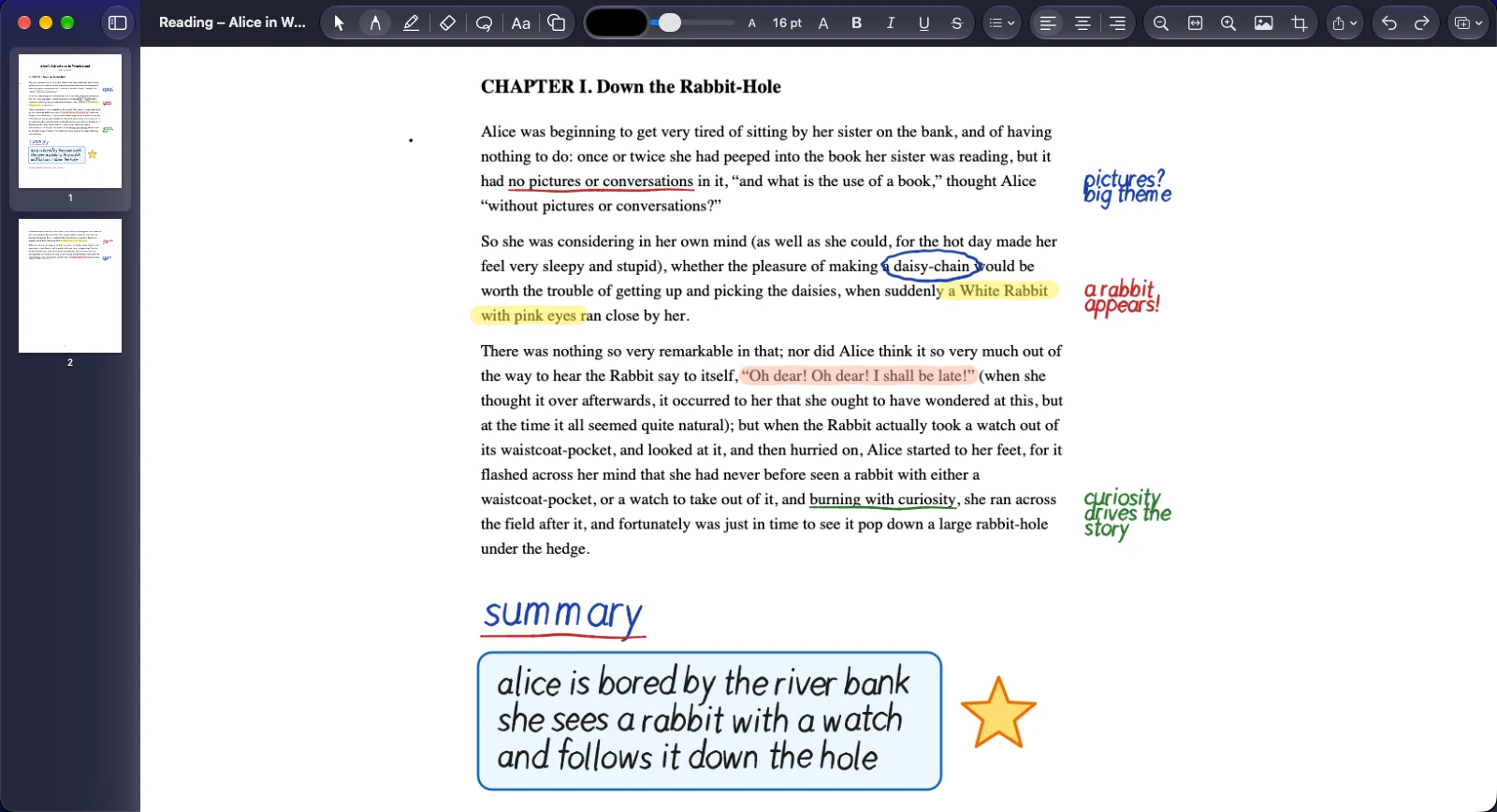
Write on a PDF
Open any PDF as a notebook and write directly on its pages.
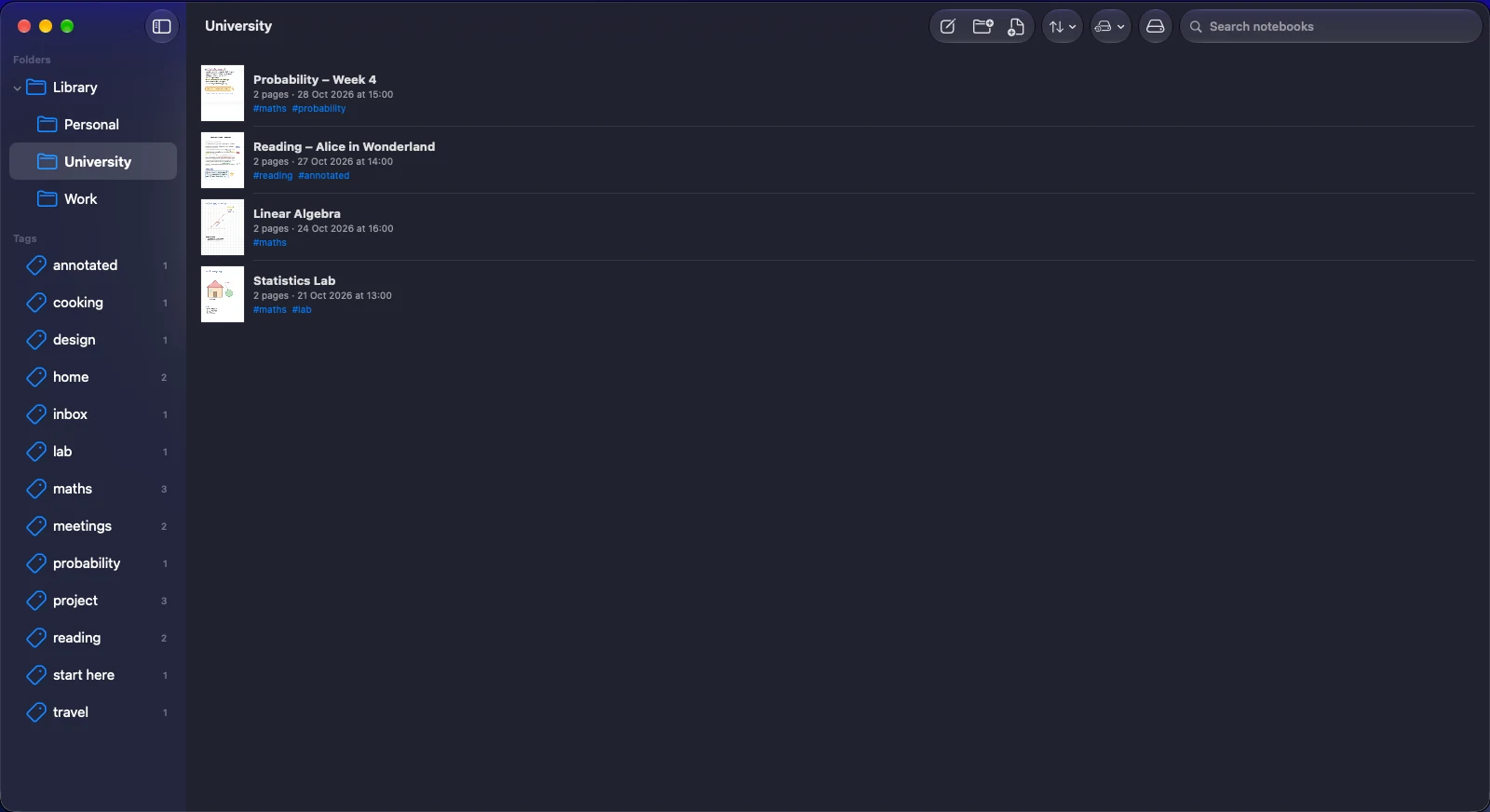
Your library
Organise notebooks in folders, label them with tags, and filter by either.
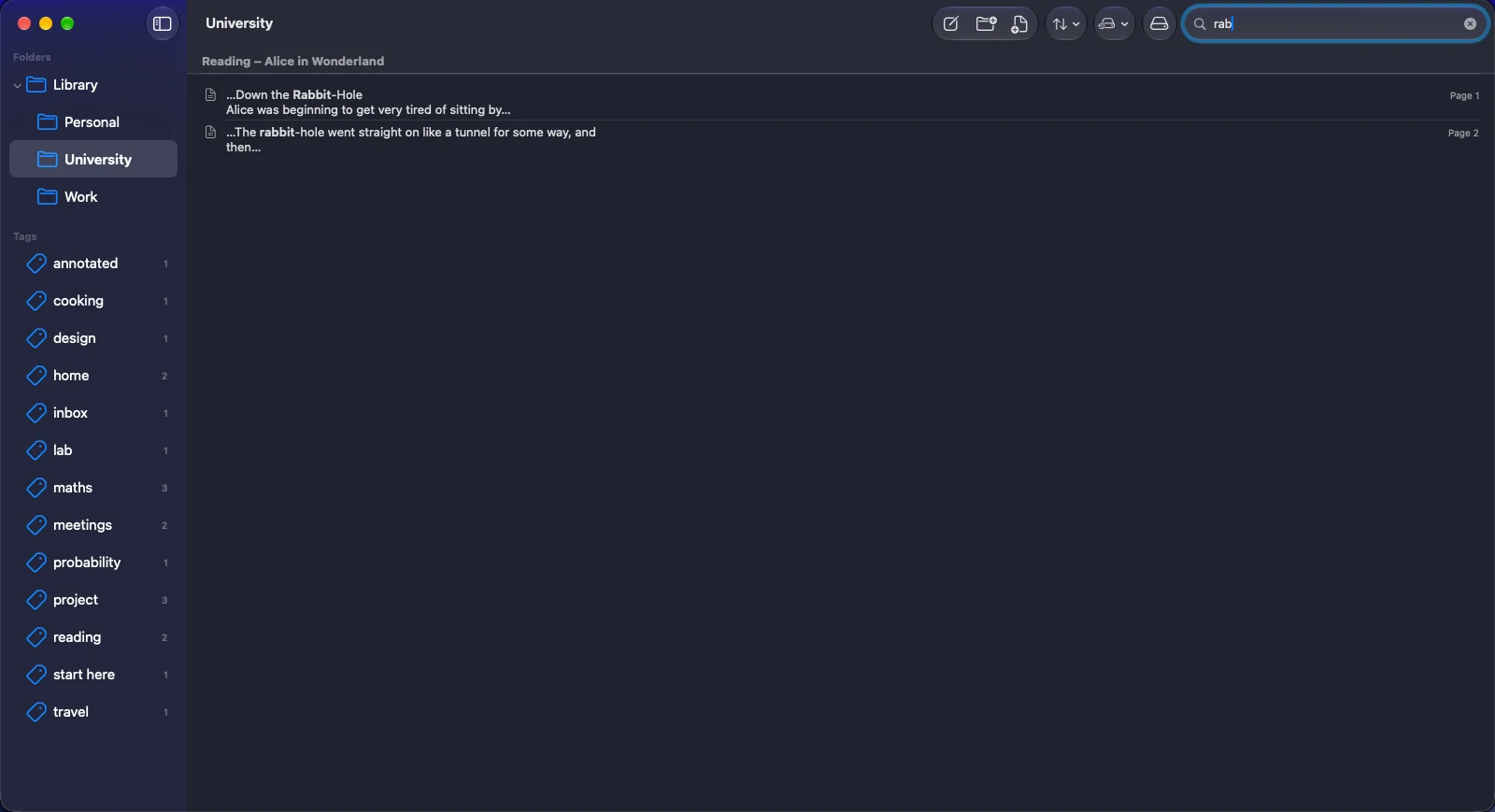
Search everything
One search across titles, tags, typed text and the text inside your PDFs, with the match highlighted.

The tools
A pressure-sensitive pen, a translucent highlighter, shapes and text boxes, all in one toolbar.
The whole feature list, in one app.
Nothing here is a promise. Every feature below is built and in the app today.
Write and draw
Ink that follows your hand, with the tools you reach for most, and undo for everything.
Pen and highlighter
Pressure-sensitive pen with smooth curves, and a translucent highlighter that sits over text.
Two erasers
Remove a whole stroke in one touch, or rub out just part of a line.
Select and lasso
Click any shape, text box or picture to select it, or drag a rectangle or a loop around several. Then move, resize or delete.
23 shapes, with fills
Lines, arrows, polygons, stars, hearts, speech bubbles, cylinders, cubes and axes, all drawn clean, outlined or filled with any colour. Hold Shift for perfect squares and circles.
Undo and redo
Step back and forward through everything you do, across the whole page.
Sharp at any zoom
Zoom in to write small and your ink stays crisp instead of turning blurry.
Text and images
Mix typing with handwriting on the same page.
Text boxes
Choose size and colour, with bold, italic and left, centre or right alignment.
Images
Paste or drag pictures onto a page, then resize and move them.
Crop
Trim a picture to the part you want with simple edge handles. The original stays intact.
Paper to suit you
Blank, ruled, grid or dotted pages, whichever suits the job.
PDFs
Read, mark up and send back documents without leaving the app.
Import a PDF
Open any PDF as a notebook and write directly on its pages.
Insert into a notebook
Add the pages of a PDF into a notebook you already have.
Vector sharp
PDF text and drawings stay sharp at any zoom, not flattened into a fuzzy picture.
Export as drawn
Save a PDF that looks exactly as it does on screen, ink included.
Export with annotations
Or export with standard PDF annotations, so other readers can still select and edit your marks.
Page management
Add, insert, duplicate, delete and drag to reorder pages, with thumbnails in the sidebar.
Library and search
Find anything you have ever written, in seconds.
Folders and tags
Organise notebooks in folders, label them with tags, and filter by either.
Thumbnails and sorting
First-page previews, and sorting by modified date, created date, title or page count.
Search everything
One search across titles, tags, typed text and the text inside your PDFs, with the match highlighted.
Jump to the page
Open a result and land on the exact page it was found on.
Backup and restore
Copy your whole library in one click, and restore it later without overwriting anything newer.
Duplicate and rename
Copy a notebook as a template, rename it, or move it to the Trash, and recover it from there.
Reliable by design
A notes app has one job above all: never lose your work.
Autosave
Changes are saved as you write, and again when you switch pages, close a window or quit.
Safe writes
Files are written atomically, so a crash or power cut cannot leave a notebook half-saved.
Damaged notebooks shown
If something is wrong, Lamina tells you instead of hiding the notebook.
Native and quick
Written in Swift for the Mac, not wrapped in a web page.
No lock-in. Ever.
A Lamina notebook is a plain folder with a documented format, kept in a place you choose. You can back it up, sync it with the service you already use, or read it with other tools.
- Works fully offline, with no account or sign-in
- Nothing is uploaded, tracked or analysed
- An open, documented file format, .lamina
- After the trial your notebooks stay readable and exportable
Documents/Notebooks/
  Lecture notes.lamina/
    manifest.json
    pages/
      3f9a….json
      3f9a….strokes
    assets/
      b81c….png

# Text and structure are JSON.
# Ink is compact binary.
# Images keep their original bytes.
$24.99. Pay once. Yours to keep.
Try Lamina free for 30 days with every feature on. If it earns a place in your day, one payment unlocks it for good.
- 1. TryDownload Lamina and use it for 30 days. No card, no account.
- 2. UnlockPay once and open the licence file we email you, or buy from the Mac App Store.
- 3. KeepNo renewals. Your notebooks stay yours either way.
The price is shown at checkout.
Good to know.
What happens when the 30 days end?
Lamina becomes read-only. You can still open, search and export every notebook; you just cannot edit until you enter a licence. Nothing is deleted.
Do I need an account or an internet connection?
No account, and no internet connection is needed to use it. The trial and your licence are checked on your Mac. In the version from this website, about once a week, when you are online, Lamina fetches a small public list of withdrawn licences. Nothing about you or your notebooks is sent.
What do I need to run it?
A Mac with Apple silicon, running macOS 26 or later. There is no Intel version. A pen tablet or a stylus-capable device gives the best handwriting, but a mouse or trackpad works too.
Where are my notebooks stored?
In a folder on your Mac. The default is Documents/Notebooks, and you can choose another. Each notebook is a single .lamina item that you can copy, back up or sync like any other file.
Can I open my PDFs and send them back marked up?
Yes. Import a PDF, write on it, then export either as drawn, or with standard PDF annotations that other PDF readers can edit.
Does it recognise my handwriting?
Not yet. Search covers typed text, titles, tags and the text inside PDFs. Handwriting recognition is not part of the app today.
Is there an iPhone, iPad or Windows version?
Not at the moment. Lamina is a Mac app.
Can I import notes from another app?
You can bring in PDFs today. Importing other notes apps' formats is not available yet.
Is it safe to back up and move?
Yes. One click copies your whole library, and restoring never overwrites a newer notebook; if both exist, it keeps both.